
How to Connect Tellspin to PagerDuty
How the PagerDuty Integration Works
When you link a PagerDuty schedule, PagerDuty stays the source of truth for the rotation. Tellspin reads who is currently on-call and keeps a Slack contact method (usually a user group such as @dev-on-call) pointed at that person. Tellspin re-syncs every minute, so handoffs and PagerDuty overrides show up in Slack almost immediately.
This gives your team a non-incident way to reach the on-call engineer without opening PagerDuty.
Step 1: Start a New PagerDuty Link
Open the Tellspin App Home in Slack.
Under Choose an option to get started, click Pagerduty Connect (labelled New Pagerduty Link in some workspaces).
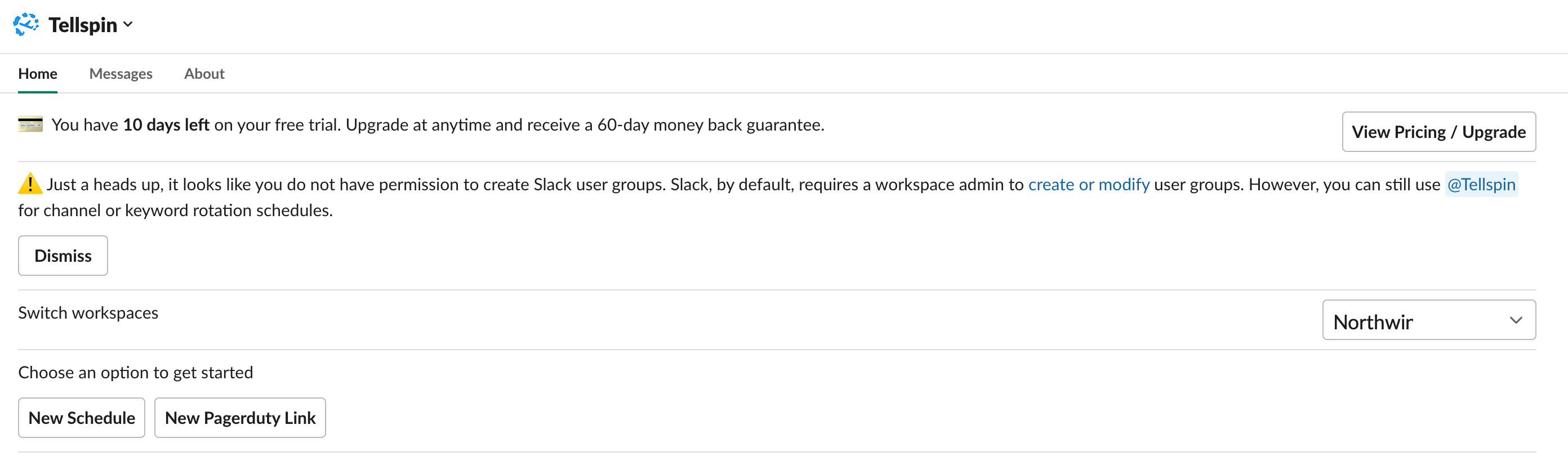
Tellspin App Home with the New Schedule and New Pagerduty Link buttons If this is the first PagerDuty link in your workspace, follow the prompts to connect Tellspin to your PagerDuty account. Tellspin only needs read access to schedules, users, and escalation policies. Once connected, the button reads New Pagerduty Link and you can link as many PagerDuty schedules as you like.

Some workspaces limit creating PagerDuty-linked schedules to Slack admins. If you don't see the button at all, ask a Slack admin to set up the link or email support@tellspin.com.
Step 2: Choose the PagerDuty Schedule
In the Select schedule modal, start typing the name of the PagerDuty schedule under Choose an existing pagerduty schedule, pick it from the list, and click Next.
The PagerDuty schedule must be attached to an escalation policy. PagerDuty only reports who is on-call for schedules that are used by an escalation policy.
Step 3: Choose the Contact Method
In the Choose contact method modal, pick how people will reach the on-call person:
- User Group – enter a Handle name such as
dev-on-call. Tellspin creates and manages@dev-on-call, keeping exactly one member in it: the current on-call user. - Keyword or Channel – use these if you don't have permission to create Slack user groups, or if you need the schedule in a Slack Connect channel. See Contact Methods.

Optionally click Add Reminder under Additional Options to announce the on-call person in a channel, then click Create.
Don't See the User Group Option?
Tellspin only offers User Group when your Slack account can create and edit user groups. Slack's default is to allow that for workspace admins only, so a non-admin sees just Keyword and Channel. Either have a Slack admin create the schedule, or change the workspace setting so everyone can manage user groups. Tellspin doesn't detect that setting change on its own; after changing it, email support@tellspin.com and ask for the permission check to be re-run. See who can edit Tellspin schedules.
Step 4: Check the User Mapping
Tellspin matches PagerDuty users to Slack users by email address. After the schedule is created, open it in the App Home, click Edit, and use Change User Mappings → Edit Users to confirm every PagerDuty user is linked to the right Slack account. Anyone whose email differs between the two tools has to be mapped by hand.
What You'll See in the App Home
The linked schedule appears with its Handle, current On-call user, the Pagerduty sync schedule name, upcoming shifts pulled from PagerDuty, and a Syncs every minute note.