
Schedule Triage
Schedule Triage allows you to combine multiple schedules into a single Slack handle, making it easier to manage complex on-call rotations across different teams or services.
Use Cases
- Multi-team coordination: Combine Slack user groups into one from different teams that need to collaborate on incidents
- Service dependencies: Merge schedules for interconnected services that require coordinated response
- Escalation workflows: Create a single point of contact that can route to multiple Slack user groups
Getting Started
To set up Schedule Triage for your schedules:
Schedule Triage is only available on the Business Plan or above
- Open the Tellspin App Home in Slack
- Select New Schedule Triage
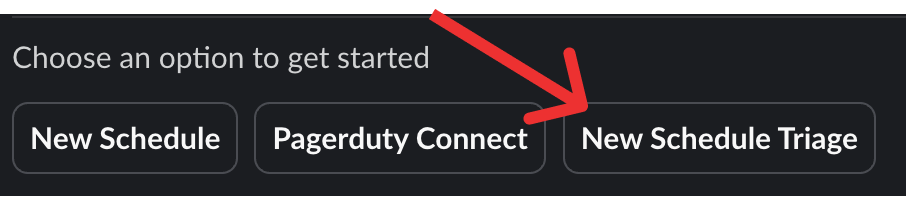
Creating a schedule triage - Select the Tellspin schedules to combine
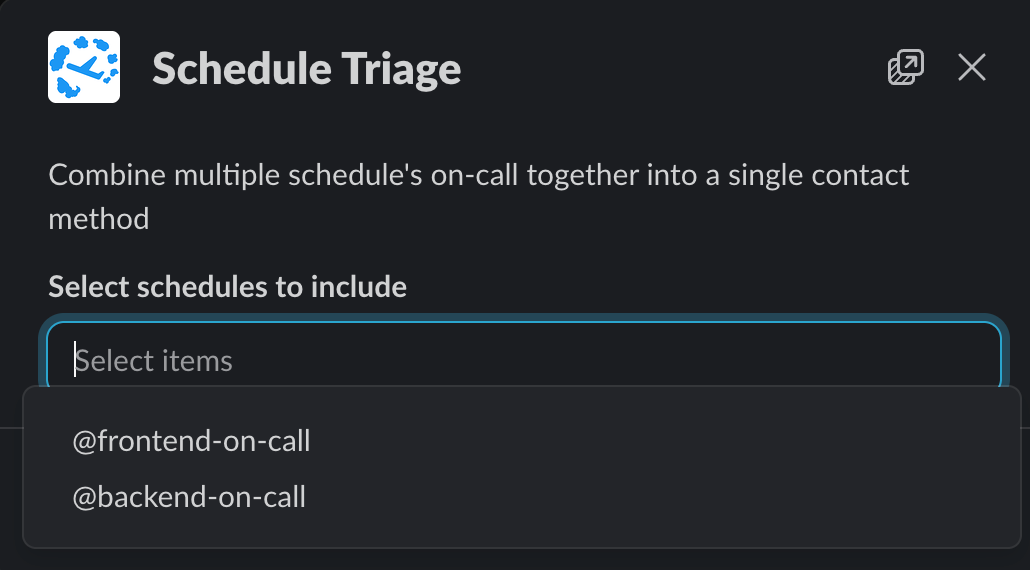
Combine schedules together - The on-call user of each schedule is combined into a single contact method

On-call Slack user groups combined


Benefits
- Simplified communication: Use one handle instead of remembering multiple schedule mentions
- Reduced complexity: Manage multiple schedules through a single interface
- Improved coordination: Better visibility across related schedules and teams
Related
- How to combine multiple on-call teams with Schedule Triage – step-by-step walkthrough and use cases
- How to have multiple people on-call simultaneously – when to use Schedule Triage versus multi-user shifts